ثيم سلةSalla theme

ثيم فتّانFattan theme

فتّان ثيم لمتاجر سلة موجّه لقطاعات الأزياء ومستحضرات التجميل والعناية والإكسسوارات والهدايا. يعتمد تصميماً هادئاً يبرز صور المنتجات، ويمنح التاجر 14 مكوّناً للصفحة الرئيسية و15 إعداداً للتحكم في الهيدر والفوتر وصفحة المنتج.

Fattan is a Salla store theme aimed at the fashion, cosmetics & care and accessories & gifts categories. Its calm design puts product photography first, and it gives the merchant 14 homepage components and 15 settings that control the header, footer and product page.

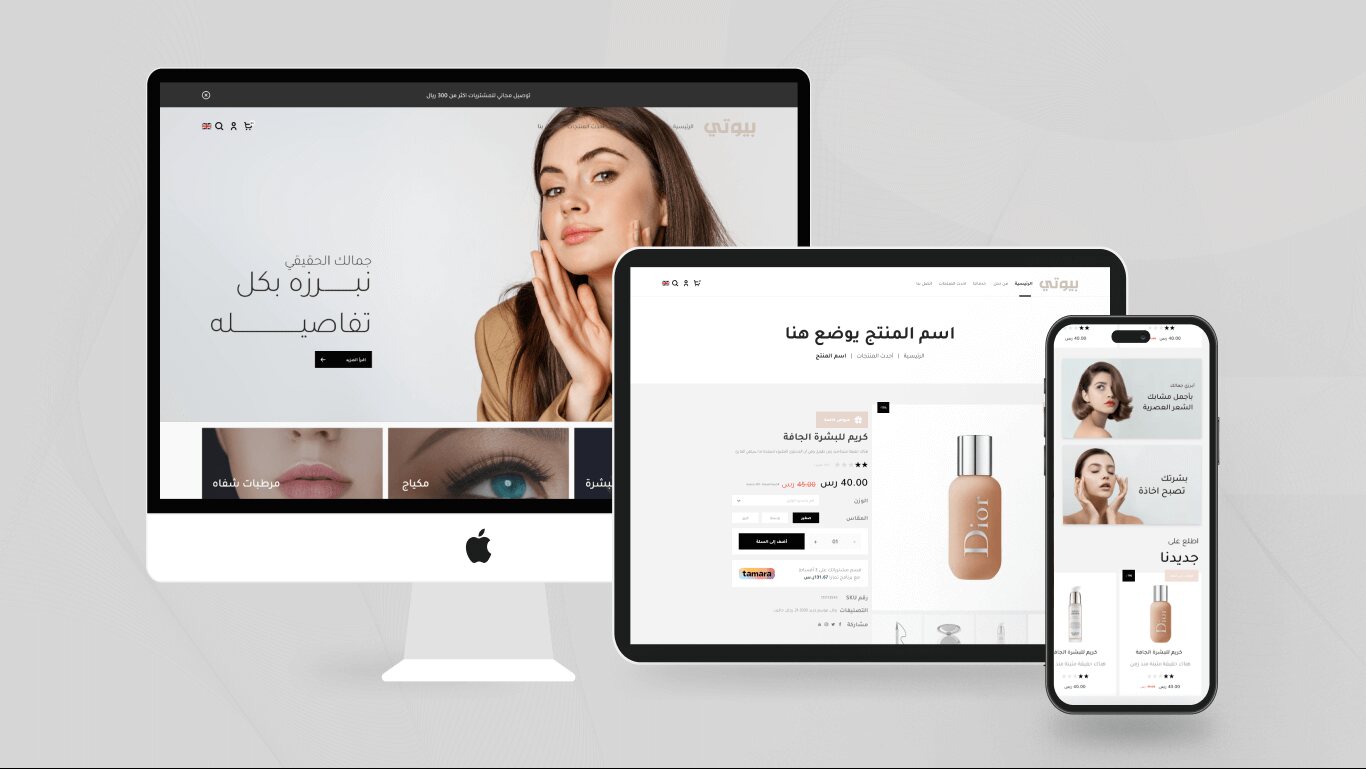
Fattan Salla theme homepage

نظرة عامةOverview

الثيم مبني على بيئة Twilight من سلة بلغة القوالب Twig، ويغطي صفحات المتجر الأساسية: الصفحة الرئيسية، صفحات التصنيفات والماركات، صفحة المنتج، السلة، صفحة الشكر، المدونة، الصفحات التعريفية، وصفحات حساب العميل.

كل تخصيص يتم من داخل لوحة تحكم سلة عبر محرّر الثيم — دون الحاجة إلى تعديل الشيفرة.

The theme is built on Salla’s Twilight environment using the Twig templating language, and covers the core storefront pages: the homepage, category and brand pages, the product page, the cart, the thank-you page, the blog, static pages and the customer account pages.

Every customisation happens inside the Salla dashboard through the theme editor — no code changes required.

بطاقة الثيمTheme at a glance

  • المنصةPlatformسلة (Salla)Salla
  • مبني بـBuilt withTwig / Twilight
  • التصنيفاتCategoriesأزياء · مستحضرات التجميل والعناية · إكسسوارات وهداياFashion · Cosmetics & care · Accessories & gifts
  • اللغاتLanguagesالعربية (RTL) والإنجليزية (LTR)Arabic (RTL) and English (LTR)
  • مكوّنات الصفحة الرئيسيةHomepage components14
المزاياFeatures

ما الذي يمنحه فتّان للتاجر؟What Fattan gives the merchant

مكوّنات صفحة رئيسية قابلة للترتيبRe-orderable homepage components

14 مكوّناً يمكن للتاجر إضافتها وترتيبها من محرّر الثيم: شرائح الصور، الروابط السريعة، الماركات، التصنيفات، البنرات، أقسام المنتجات، آراء العملاء، انستقرام، المدونة، والقسم الترويجي مع عدّ تنازلي.

14 components a merchant can add and re-order from the theme editor: image slider, quick links, brands, categories, banners, product sections, testimonials, Instagram, blog, and a promo section with a countdown.
تحكم كامل بألوان الهيدر والفوترFull control of header & footer colours

ألوان منفصلة لخلفية ونص الهيدر في الوضع العادي والوضع الثابت أثناء التمرير، وألوان لخلفية الفوتر ونصه وحدّه العلوي وشريط الحقوق.

Separate colours for the header background and text in both the normal and sticky-on-scroll states, plus colours for the footer background, text, top border and copyright bar.

مخطّطان للهيدرTwo header layouts

اختر بين الشعار في الوسط أو الشعار جانباً، مع إمكانية إخفاء شريط البحث بالكامل.

Choose between a centred logo or a side logo, with the option to hide the search bar entirely.

قائمة متعدّدة المستوياتMulti-level mega menu

قائمة رئيسية تدعم ثلاثة مستويات من الأقسام الفرعية، مع قائمة جوال منفصلة.

A main menu supporting three levels of sub-menus, with a separate mobile menu.

صفحة منتج قابلة للضبطA configurable product page

أربع طرق لعرض صور المنتج داخل السلايدر (Cover / Contain / Fill / None)، وخيار إظهار أو إخفاء الوسوم.

Four ways to display product images inside the slider (Cover / Contain / Fill / None), plus a toggle to show or hide tags.

فلاتر وفرز في صفحات المنتجاتFilters & sorting on listing pages

لوحة فلاتر جانبية وقائمة فرز (الأكثر مبيعاً، الأعلى تقييماً، السعر تصاعدياً أو تنازلياً) على صفحات عرض المنتجات.

A side filters panel and a sort menu (best selling, top rated, price ascending or descending) on product listing pages.

ثلاثة أشكال لبطاقة المنتجThree product card styles

بطاقة كاملة، وبطاقة مصغّرة، وبطاقة بصورة كاملة، مع توحيد ارتفاع البطاقات داخل الشبكة.

A full card, a mini card and a full-image card, with unified card heights across the grid.

دعم العربية والإنجليزيةArabic & English support

الثيم يعمل بالاتجاه من اليمين لليسار للعربية ومن اليسار لليمين للإنجليزية، مع مبدّل اللغة والعملة في الهيدر.

The theme runs right-to-left for Arabic and left-to-right for English, with a language and currency switcher in the header.

لقطاتScreenshots

الثيم على سطح المكتب واللوحي والجوالThe theme on desktop, tablet and mobile

The homepage on desktop, tablet and mobile
الصفحة الرئيسية على سطح المكتب واللوحي والجوالThe homepage on desktop, tablet and mobile
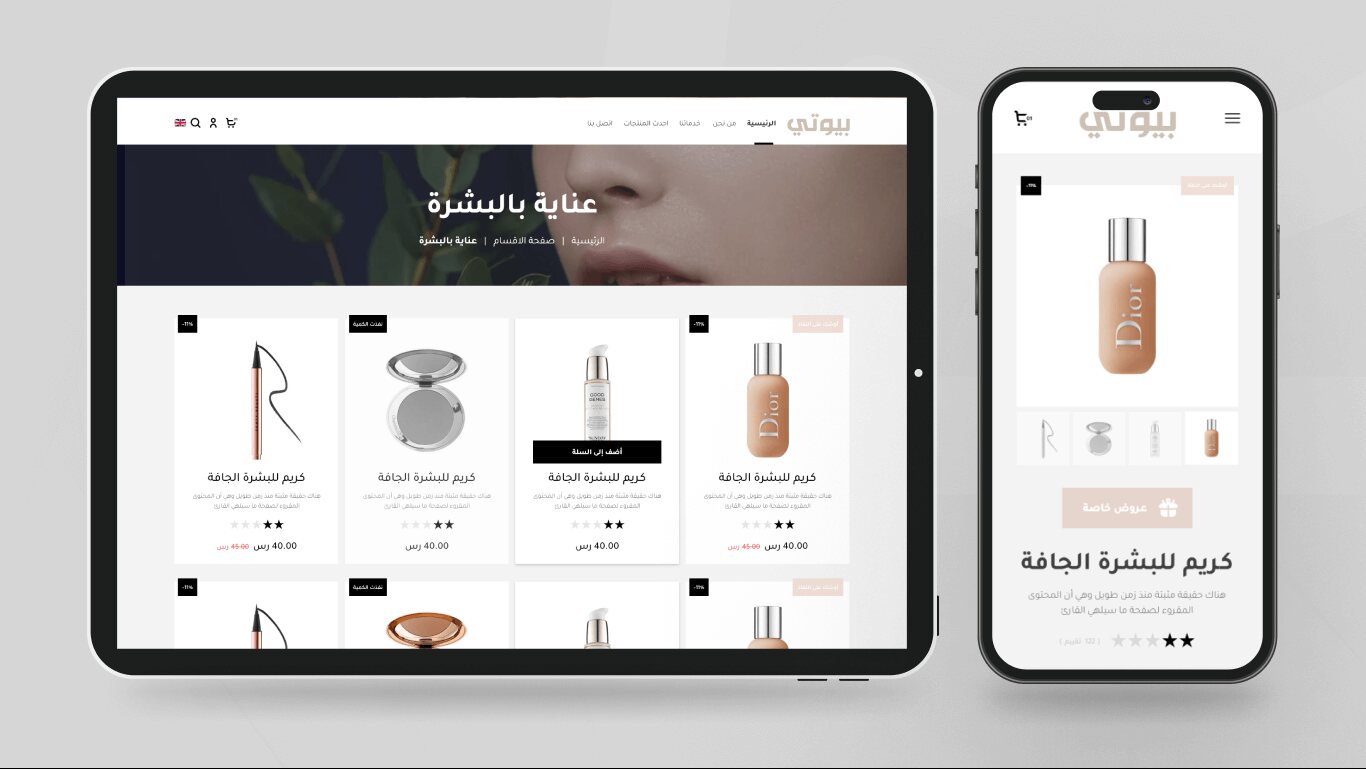
A category page with a product grid, and the product page on mobile
صفحة تصنيف بشبكة منتجات، وصفحة المنتج على الجوالA category page with a product grid, and the product page on mobile
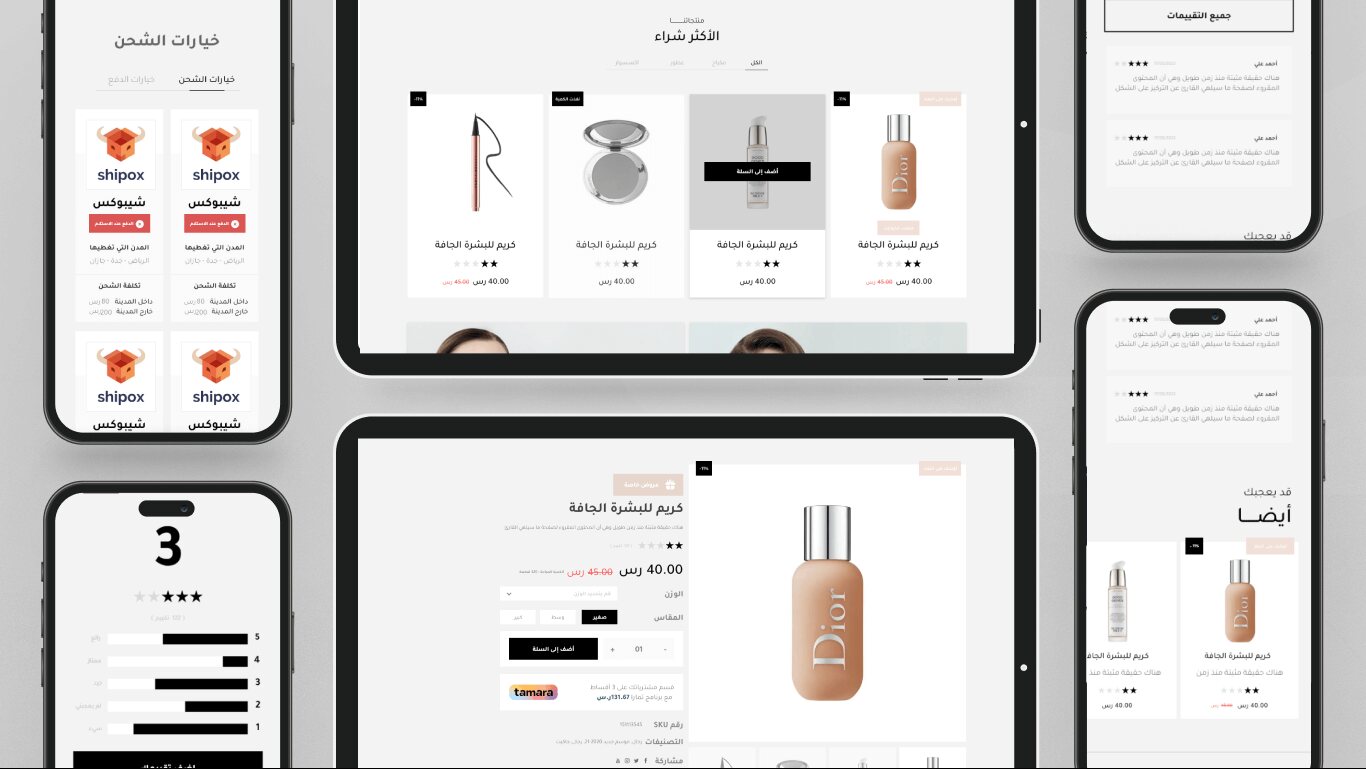
Best-seller tabs, the product page, ratings and shipping options
أقسام الأكثر مبيعاً، صفحة المنتج، التقييمات وخيارات الشحنBest-seller tabs, the product page, ratings and shipping options
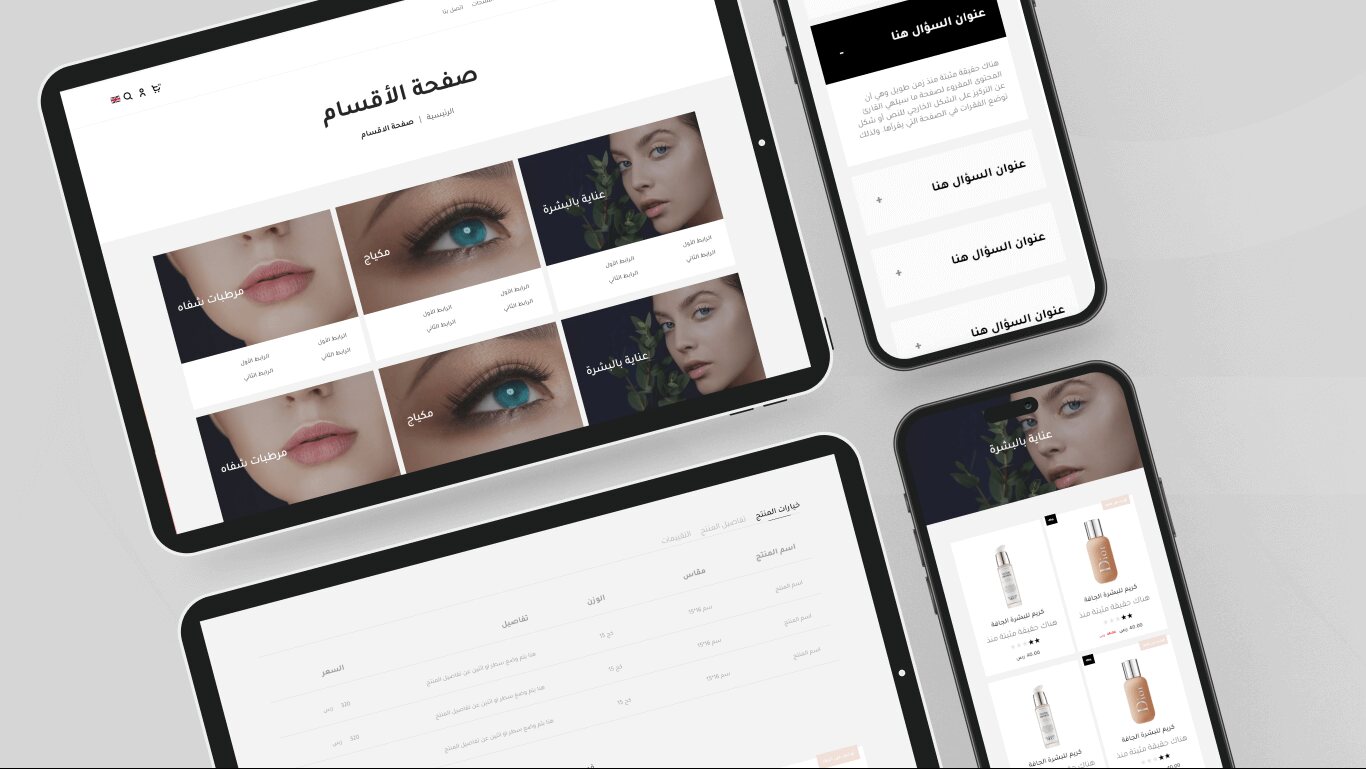
The categories page, the product options table and the FAQ block
صفحة الأقسام وجدول خيارات المنتج والأسئلة الشائعةThe categories page, the product options table and the FAQ block
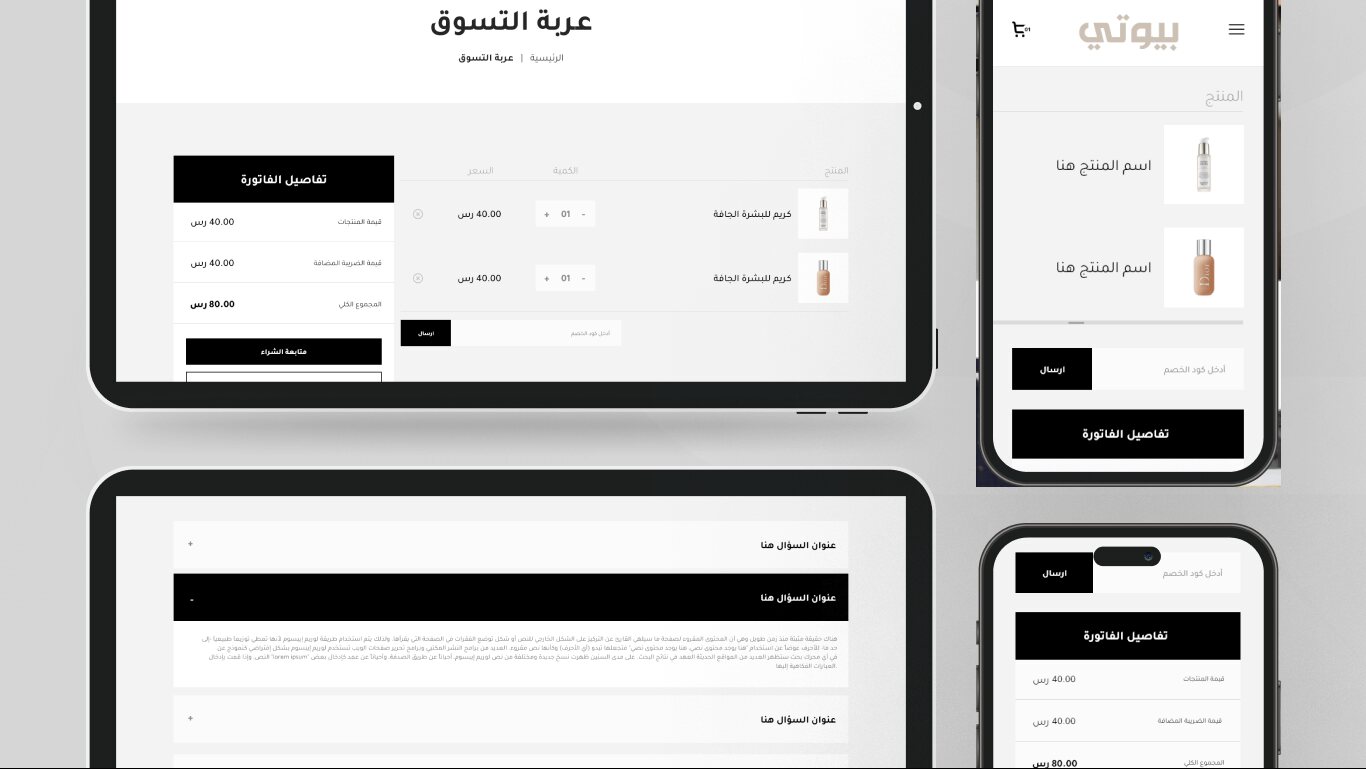
The shopping cart and invoice summary on desktop and mobile
سلة التسوق وملخّص الفاتورة على سطح المكتب والجوالThe shopping cart and invoice summary on desktop and mobile

إلى أي مدى يمكن تخصيصه؟How far can it be customised?

  • الصفحة الرئيسية: أضف أي مكوّن من المكوّنات الأربعة عشر، وأعد ترتيبها، واحذف ما لا تحتاجه.
  • الألوان: لون خلفية ونص الهيدر (عادي وثابت)، ولون خلفية الفوتر ونصه وحدّه العلوي وشريط الحقوق، بالإضافة إلى ألوان مخصّصة لبعض المكوّنات مثل «منتجات مختارة» و«بنر نص مع صورة» و«القسم الترويجي».
  • الخط: مفتاح لتفعيل خط الثيم الافتراضي (Tajawal) أو الاعتماد على خط المتجر المحدَّد من إعدادات سلة.
  • الهيدر: موضع الشعار، وإظهار أو إخفاء شريط البحث.
  • الفوتر: نص أوقات العمل، وألوان الفوتر.
  • صفحة المنتج: طريقة عرض الصور داخل السلايدر، وإظهار الوسوم.

تفاصيل كل خيار وحقوله مشروحة في توثيق ثيم فتّان.

  • Homepage: add any of the fourteen components, re-order them, and remove the ones you do not need.
  • Colours: header background and text colour (normal and sticky), footer background, text, top border and copyright bar colours, plus per-component colours for sections such as Selected products, Text banner with image and the Promo section.
  • Font: a switch to enable the theme’s default font (Tajawal) or fall back to the store font chosen in Salla’s settings.
  • Header: logo position, and showing or hiding the search bar.
  • Footer: working-hours text and footer colours.
  • Product page: how images are displayed in the slider, and whether tags are shown.

Every option and its fields are documented in the Fattan documentation.

جاهز للبدء؟Ready to start?

اقرأ التوثيق الكامل قبل التركيب، أو تواصل مع فريق الدعم لأي استفسار.

Read the full documentation before installing, or contact the support team with any question.